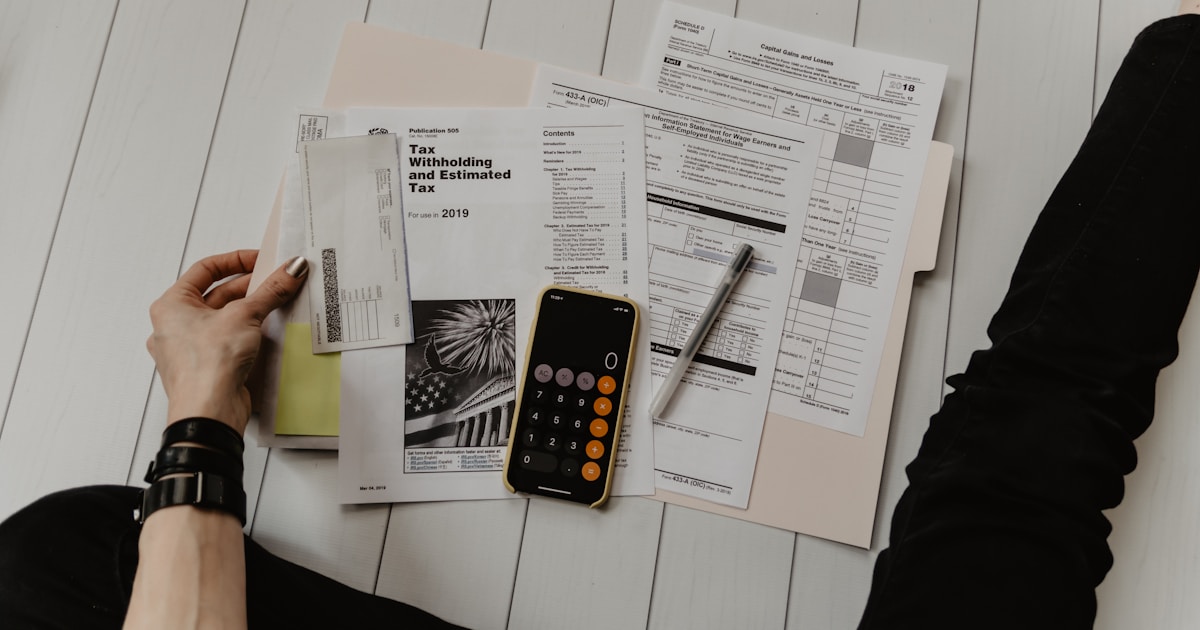
DS-160 Form Complete Guide for Pakistani Applicants 2026
Step-by-step DS-160 form guide for Pakistani USA visa applicants. Avoid common mistakes, upload the correct photo, and complete every field accurately.
The DS-160 form is the foundation of every USA B1/B2 visa application from Pakistan. Every detail you enter on this form is scrutinised by the consular officer during your interview, and errors, inconsistencies, or incomplete information are among the top reasons for visa refusal. Completing the DS-160 accurately and strategically is not optional — it is the single most important step in your entire application process. This comprehensive walkthrough covers every section of the DS-160 form, explains what the officer is looking for in each field, and highlights the common mistakes Pakistani applicants make so you can avoid them.
Completing the DS-160 accurately is the most critical step in your USA visa application
What Is the DS-160 Form?
The DS-160 (Online Nonimmigrant Visa Application) is a digital form required for all US nonimmigrant visa categories, including B1/B2 visit visas. It is completed entirely online through the Consular Electronic Application Center (CEAC) at ceac.state.gov. The form collects personal information, travel history, employment details, family background, and security-related questions. Once submitted, the DS-160 cannot be edited — you would need to start a new application if you need to make changes. The confirmation page with barcode is required for your embassy interview.
DS-160 Form: 10-Step Walkthrough
Step 1: Access the DS-160 Form
Visit the official Consular Electronic Application Center (CEAC) website at ceac.state.gov. Select "Start an Application" and choose "Islamabad" or "Karachi" as your interview location. You will receive a unique Application ID — save this immediately. You will need it to retrieve your application if you are interrupted. The form also provides a security question that allows you to recover your application. Write down both the Application ID and your answers to the security questions.
Step 2: Personal Information
Enter your name exactly as it appears on your Pakistani passport. This includes your full name, date of birth, place of birth, nationality, and passport details. Common mistakes Pakistani applicants make in this section include:
- Name format: Enter your surname (family name) and given name separately — do not enter your full name in one field
- Passport number: Double-check this against your passport — a single digit error can cause delays
- Previous passport: If you have a previous passport, enter those details as well — the DS-160 requires this information
- National ID: Your Pakistani CNIC/NICOP number is required in the national identification section

Each DS-160 field must match your passport exactly — even minor discrepancies can cause refusal
Step 3: Travel Information
Specify your intended travel dates, purpose of trip, and US contact information. If you do not have a specific US address yet, you can enter the address of your hotel or host. For Pakistani applicants, the following details are critical:
- Specific travel dates — Enter realistic dates that align with your itinerary and leave application. Do not enter dates that are too far in the future.
- Purpose of trip — Select the option that best matches your B1/B2 category and provide a brief explanation in the text field.
- US contact details — If visiting family, provide their full name, address, and phone number. If attending a business meeting, provide the company name and contact.
- Arranged by — Indicate whether you arranged the trip yourself or through an agency/organisation.
Step 4: Previous US Travel and Visa History
This section asks about your previous travel to the US, previous US visa applications, and any visa refusals. Be completely honest — the US Embassy has access to all prior visa records through the Consular Consolidated Database (CCD). If you were previously refused a US visa, you must disclose this. Misrepresentation can result in a permanent bar from entering the US. The officer will ask about any previous refusals during your interview, so your DS-160 must match your verbal responses.
Step 5: Address and Phone Information
Provide your current residential address in Pakistan, phone numbers, email address, and social media handles (if applicable). The DS-160 now asks for your social media presence — you are not required to provide passwords, but you must list the platforms you use. Inconsistencies between your social media profiles and your application can raise red flags. Ensure your social media accounts have professional profiles that align with your application.
Step 6: Family Information
Enter details about your parents, spouse (if married), and children. The US Embassy uses this information to assess your ties to Pakistan. If your family members are US citizens or permanent residents, you must disclose this — it is not automatically grounds for refusal, but it does affect how the consular officer evaluates your intent to return.
Step 7: Employment and Education
Provide your current employment details, including employer name, address, phone number, salary, and job title. If you are self-employed, include your business name and type. If you are a student, provide your school name and expected graduation date. Employment stability is one of the strongest ties to Pakistan — make sure this section is detailed and accurate. The officer may call your employer to verify your employment.
Take your time filling each section — the DS-160 cannot be edited after submission
Step 8: Security and Background Questions
The DS-160 includes a series of security-related questions covering criminal history, immigration violations, communicable diseases, and terrorist activities. For most Pakistani applicants, the answer to all of these questions is "No." However, if any apply to you, answer truthfully — providing false information is grounds for immediate refusal and potential bars. These questions are standard across all visa categories and are designed to screen for inadmissibility grounds.
Step 9: Upload Your Photo
The DS-160 requires a recent digital photograph that meets specific requirements: 600x600 pixels minimum, white background, no glasses (unless for medical reasons), and a neutral facial expression. The photo must be taken within the last 6 months. Use the DS-160 photo tool on the CEAC website to verify your photo meets the requirements before uploading. A non-compliant photo can result in your application being rejected or delays at the interview.
Step 10: Review and Submit
Before submitting, review every single field. Compare each entry against your passport and supporting documents. Check for spelling errors, date mismatches, and inconsistencies. Once you submit the DS-160, you cannot make changes — you would need to start a new application. Print the confirmation page with the barcode — you will need this for your interview. Review the entire form at least twice before hitting submit.
Pro Tip
Common DS-160 Mistakes to Avoid
- Name mismatch — Writing "Muhammad" vs "Mohammad" or missing the father's name — must match passport exactly
- Incorrect passport number — A single digit error can cause delays or complications at the interview
- Travel dates inconsistent — Dates on the form do not match flight bookings or hotel reservations
- Previous refusals hidden — Lying about a past visa refusal is discovered in the CCD and guarantees refusal
- Employment details vague — "Business" or "self-employed" without supporting details raises red flags
- Social media inconsistency — Social media profiles that contradict your application details raise suspicion
- Not saving frequently — The form times out after 20 minutes, causing loss of unsaved progress
- Rushing through security questions — Answering "Yes" to security questions without understanding the implications
DS-160 Form — Frequently Asked Questions
Can I edit my DS-160 after submitting?
No. Once you submit the DS-160, you cannot make any changes to the form. If you need to correct errors, you must start a completely new application with a new Application ID. This is why it is critical to review every field carefully before submission. The new DS-160 will replace the previous one in your application file.
How long does it take to complete the DS-160 form?
Most Pakistani applicants take 60-90 minutes to complete the DS-160 form. First-time applicants may take longer. We recommend completing it in one sitting to avoid losing progress. Have all your documents ready before starting: passport, previous travel details, employment information, family details, and your digital photo.
What if I made a mistake on my DS-160?
If you submitted the form with an error, you must complete a new DS-160 application. The new form will replace the previous one. Minor errors like a typo in an address may not significantly affect your application, but major errors like incorrect passport number, wrong name spelling, or undisclosed visa refusals must be corrected before your interview.
Do I need to bring the DS-160 confirmation to my interview?
Yes. The DS-160 confirmation page with barcode is required for entry to the embassy and for the interview. Print it on A4 paper and bring it along with your passport, appointment confirmation, and supporting documents. Without the DS-160 confirmation page, you will not be allowed to attend your interview.
DS-160 Form — Advanced Tips for Pakistani Applicants
Beyond the basic walkthrough, there are several advanced strategies that can help Pakistani applicants complete the DS-160 more effectively and reduce the risk of refusal. These tips address common pitfalls specific to applicants from Pakistan and help you present your profile in the strongest possible light.
Strategic Field Completion
How you complete certain fields can significantly impact how the consular officer perceives your application. Consider these strategic approaches:
- Purpose of visit field: Be specific and realistic. Instead of writing "tourism," mention specific cities, attractions, or events you plan to attend. This demonstrates genuine intent and preparation.
- Travel companions: If travelling with family, ensure their details match their own DS-160 applications. Inconsistencies between applications can raise red flags.
- Previous travel countries: List all international travel, even short trips. Each stamp demonstrates your compliance with visa conditions.
- US contacts: Provide complete and accurate information for any contacts in the US, including distant relatives. The embassy may verify this information.
- Social media profiles: List all active accounts. Do not create fake profiles or delete accounts — the embassy can access historical data.
DS-160 for Different Visa Categories
While the DS-160 form is the same for all nonimmigrant visa categories, certain fields require different information depending on your visa type. Here is a comparison of key differences:
| Field | B1/B2 (Tourist/Business) | F1 (Student) | H1B (Work) |
|---|---|---|---|
| Purpose of trip | Tourism, business meetings, family visit | Full-time study at accredited institution | Specialty occupation employment |
| US contact | Hotel, family member, or business contact | University/college international office | Employer HR department |
| Employment details | Current job in Pakistan (tie to home) | Current education or gap year plans | Petitioning employer details |
| Financial support | Personal savings or sponsor | Scholarship, family support, or loan | Employer salary and benefits |
DS-160 Photo Requirements — Detailed Guide
The DS-160 photo requirements are strict, and non-compliant photos are a common reason for application delays. Here are the exact specifications and tips for Pakistani applicants:
| Requirement | Specification | Common Mistakes |
|---|---|---|
| Size | 600x600 pixels minimum | Using passport-size photos without resizing |
| Background | Plain white or off-white | Coloured or patterned backgrounds |
| Glasses | Not allowed (unless medical exemption) | Wearing prescription or sunglasses |
| Expression | Neutral facial expression, mouth closed | Smiling, frowning, or exaggerated expressions |
| Recency | Taken within last 6 months | Using old photos that no longer resemble you |
| Head covering | Religious head coverings allowed if face fully visible | Head coverings that obscure face or hairline |
Photo Tip
DS-160 Technical Issues and Troubleshooting
Pakistani applicants often face technical challenges when completing the DS-160 due to internet connectivity issues and system limitations. Here are common technical problems and their solutions:
- Session timeout: The DS-160 times out after 20 minutes of inactivity. Save frequently using the "Save" button and keep your Application ID and security question answers handy to retrieve your application.
- Slow internet connection: Use a stable broadband connection rather than mobile data. If your connection is unreliable, complete the form in smaller sections, saving after each section.
- Photo upload failures: Ensure your photo meets the exact specifications (600x600 pixels, JPEG format, under 240KB). Use photo editing software to resize if necessary.
- Browser compatibility: Use the latest version of Chrome, Firefox, or Safari. Avoid using Internet Explorer or mobile browsers, which may cause display issues.
- Barcode printing issues: Print the confirmation page on A4 paper in colour or black-and-white. Ensure the barcode is clear and not cut off. Bring a backup copy.
DS-160 Completion Checklist for Pakistani Applicants
Use this comprehensive checklist before submitting your DS-160 to ensure everything is complete and accurate:
- Personal information matches passport exactly — Name, date of birth, passport number, and place of birth
- Previous passport details included — If you have any previous passports, enter those details
- Travel dates align with bookings — Flight reservations and hotel bookings match the dates on your DS-160
- Employment information is detailed — Employer name, address, phone number, salary, and job title are all provided
- Family information is complete — Parents, spouse, and children's details are accurate
- Previous refusals disclosed — Any US or international visa refusals are honestly reported
- Social media accounts listed — All active social media platforms are included
- Photo meets specifications — 600x600 pixels, white background, no glasses, recent photo
- Security questions answered accurately — All "Yes" answers have truthful, complete explanations
- Entire form reviewed twice — Check for spelling errors, date mismatches, and inconsistencies
DS-160 for Specific Applicant Scenarios
Different applicant profiles require tailored approaches to the DS-160. Here is how to handle common scenarios faced by Pakistani applicants:
First-Time Applicants with No Travel History
If this is your first international trip, you need to compensate for the lack of travel history by providing exceptionally strong ties to Pakistan. In the DS-160, focus on detailing your employment stability, family obligations, property ownership, and any community involvement. In the "Purpose of trip" field, provide a detailed explanation of why you are visiting the US and why you will return to Pakistan. Mention specific events, conferences, or family obligations that require your timely return.
- Emphasise family ties — children in school, elderly parents, spouse's employment
- Detail property ownership and long-term financial commitments in Pakistan
- Provide employer letter confirming your position and expected return date
- Consider applying for a Dubai visit visa first to build travel history
Self-Employed Applicants and Business Owners
Self-employed applicants face unique challenges because their income is harder to verify. In the DS-160 employment section, provide your business name, type, registration number, and a brief description of operations. Avoid vague descriptions like "business" — specify the industry, number of employees, annual revenue range, and how long the business has been operational.
- Enter your exact business name as registered with FBR or SECP
- Provide the business phone number that can be verified
- Include your NTN (National Tax Number) in supporting documents
- Bring business registration, client contracts, and tax returns to your interview
Applicants with Previous Visa Refusals
If you have been refused a US, UK, Canada, or Schengen visa before, you must disclose this in the DS-160. In the "Have you ever been refused a US visa?" section, answer "Yes" and provide details including the date, visa category, and section under which you were refused. Do not attempt to hide previous refusals — the Consular Consolidated Database (CCD) permanently stores this information.
- Provide the exact date and visa category of the previous refusal
- In the explanation field, briefly describe what has changed since the refusal
- Mention improvements to your finances, ties, or travel history since the refusal
- Do not write lengthy explanations — keep it factual and concise
Students and Recent Graduates
Students and recent graduates applying for B1/B2 visas need to demonstrate strong reasons to return to Pakistan after their US visit. In the DS-160 employment section, enter your educational institution details. If you are a recent graduate, mention your job search plans or ongoing education in Pakistan.
- Provide your university name, degree program, and expected graduation date
- If recently graduated, mention pending job offers, further education plans, or family business obligations
- Include your parents' employment details to show family financial stability
- If attending a conference or educational event, provide the invitation letter details
How DS-160 Answers Affect Your Interview
The DS-160 is not just a form — it is the script for your visa interview. The consular officer reads your DS-160 before you approach the window, and their questions are directly based on your answers. Here is how specific DS-160 sections influence the interview:
| DS-160 Section | How It Affects the Interview | Interview Preparation Tip |
|---|---|---|
| Purpose of trip | Officer will ask detailed questions about your visit plan | Prepare a day-by-day itinerary and memorise key details |
| Employment details | Officer may call your employer to verify | Inform your employer about potential verification calls |
| Family information | Officer uses this to assess your ties to Pakistan | Be prepared to discuss your family's occupations and locations |
| Previous refusals | Officer will ask about what has changed since the refusal | Prepare specific examples of improvements made since refusal |
| Travel history | Officer may ask about previous trips and compliance | Remember dates and purposes of all previous international travel |
Interview Preparation Tip
DS-160 for Family Applications
When applying as a family, each family member must submit a separate DS-160 application. However, the applications should be consistent with each other. Here are specific tips for family applications:
- Consistent travel plans: All family members should list the same travel dates, US contact information, and accommodation details.
- Sponsor information: If one family member is sponsoring the trip, their financial details should be consistent across all applications.
- Family ties disclosure: List all family members who are US citizens or permanent residents in each application — this information is cross-referenced.
- Children's applications: Parents complete the DS-160 for children under 16. Ensure the information matches the parent's application.
- Same interview location: Schedule all family interviews at the same embassy location to simplify logistics and demonstrate family unity.
Professional Review
Book Your USA Trip — Best Prices
Related Visa Guides
- USA Visit Visa for Pakistani 2026 — Complete guide to the B1/B2 visa application process
- USA Visa Refusal Reasons for Pakistani Applicants — Top refusal reasons and how to fix them
- Top 30 USA Visa Interview Questions — Expert answers to common interview questions
- USA Visa Fee Breakdown for Pakistani Applicants — Complete cost analysis and budgeting
- Canada Visa Refusal Reasons — Strategies for overcoming refusals
- Schengen Visit Visa from Pakistan — Build travel history with European travel
This guide was last updated in June 2026 based on official US Department of State data, CEAC guidelines, and Make Sense Travels case studies. Always verify current requirements on the official US Department of State website before completing your DS-160. For a personalised DS-160 review, visit our Visa Lab.
Book Smarter, Travel Better
Maximize Your Approval Chances
Visa Lab Profile Audit
Check your visa approval score before applying
Visa Cost Calculator
Calculate total visa costs including fees, insurance & extras
Processing Time Checker
Check current processing times for your destination
Recovery Recovery Tool
Get a recovery plan if your visa was refused
Visa-Free Explorer
Find countries you can visit without a visa
Travel Itinerary Planner
Plan your trip with day-by-day itineraries
Related Blog Posts
Check Your Visa Approval Score
Use our free Make Sense Visa Lab tools to audit your profile, calculate costs, and maximize your approval chances.
Book Smarter, Travel Better
Flights, eSIM data plans & activities — all curated for Pakistani travelers heading abroad.
Search & Book
Compare and book affordable flights from Pakistan to 700+ airlines worldwide.
Stay Connected
Instant eSIM data plans for 190+ countries. No physical SIM needed.
Tours & Attractions
Book tours, theme parks, city passes & local experiences worldwide.